FreeSize is our Swiss storage analysis tool for Windows 10/11, macOS (Apple Silicon) and Linux. Treemap and sunburst visualisation, live scanning, heatmap of the biggest space hogs. Local analysis, no telemetry, no selling of data.
Because someone asks about a "full hard drive" every week — and the answer does not show up in a list.
Freeing up storage is one of the most common support requests in SMEs. The operating systems' built-in tools usually only show that storage is running low — not where it is going. Visual storage analysis solves this in a few seconds.
Anyone looking for "the big folder" in Explorer or Finder scrolls through directory trees and checks properties one by one. With 5 TB of data this takes hours — and the culprit (e.g. an outdated backup cache or a forgotten VM file) often goes unnoticed.
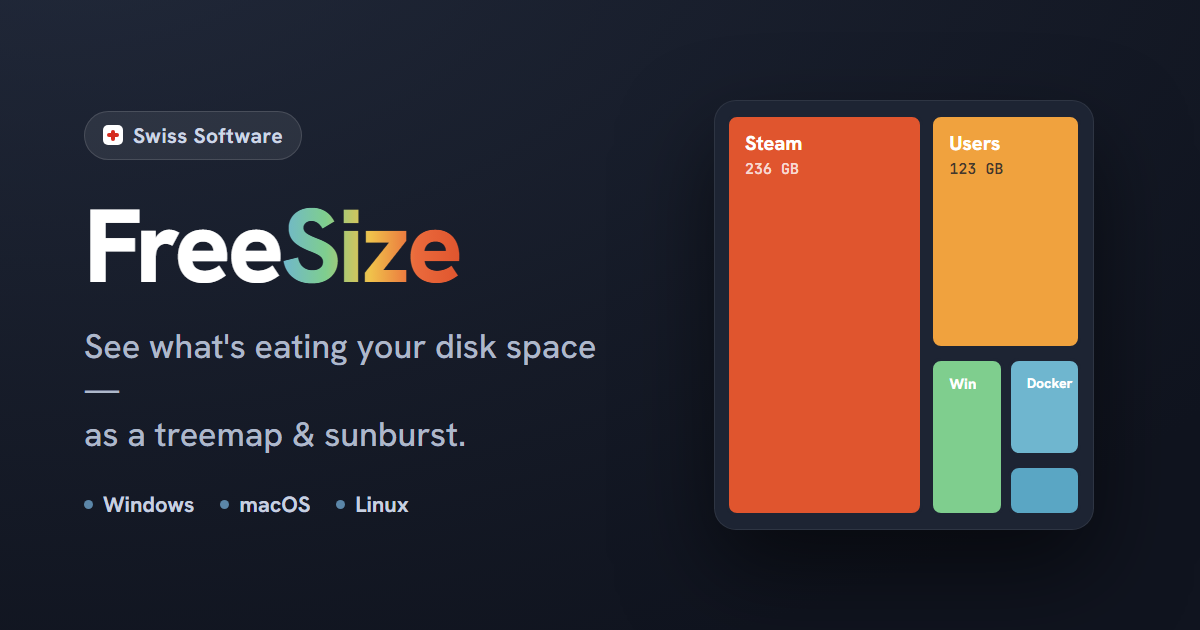
FreeSize shows storage usage as a treemap (nested rectangles proportional to size) and a sunburst (ring-shaped hierarchy). At a glance you can see which folder, which file, which format is taking up the space. The heatmap highlights the biggest culprits in colour, and Explorer integration opens the location with one click.
We built FreeSize because we need the tool ourselves on every client visit — from notebook clean-ups to file server audits. Cross-platform on purpose, because our clients use a mix of Windows, macOS and Linux. Without cloud on purpose, because we use the scans in fiduciary, legal and public administration environments, where "data goes to the USA" is unacceptable.
Sunburst view: storage usage as a ring-shaped hierarchy.
Treemap and sunburst at a glance
Live scanning — the tree structure grows during the scan
Heatmap highlights the biggest space hogs in colour
Local, no telemetry, no cloud requirement
Features
What FreeSize can do today
A focus on what is really needed in day-to-day work — visual analysis, fast navigation, optional monitoring across several devices.
Treemap & Sunburst
Two complementary visualisations: the treemap shows directories as nested rectangles proportional to size. The sunburst shows the hierarchy as a ring-shaped view. Switch at any time, same underlying data.
Live scanning
The visualisation grows as the scan runs. You do not have to wait until a 5 TB volume has been fully scanned — the largest folders usually become visible within the first few seconds.
Heatmap
Space hogs are highlighted in colour: the redder, the more problematic. Quick orientation without studying numbers — particularly useful for support staff who need to find the right place in two clicks.
Explorer integration
One click on a treemap block opens the file or folder directly in the system file manager (Explorer, Finder or Nautilus). From finding to action without copying paths.
Cross-platform
Windows 10/11 (.exe, 74 MB), macOS on Apple Silicon (.pkg, 34 MB) and Linux (AppImage, 36 MB). Identical operation on all three systems — important in mixed environments.
Pro: background monitoring
Optional Pro plan (CHF 29/year): continuous storage monitoring in the background plus a central portal for several devices. Useful for households with several devices and small teams with file servers.
Data protection & security
Scan locally. Store locally. Decide locally.
In industries with data protection obligations (fiduciary, legal, public administration, medical practices), "the app scans my Mac and sends it to the cloud" is a no-go. FreeSize explicitly does things differently.
The scan runs entirely on the device. No telemetry, no usage analysis, no external requests apart from the update check (which only sends the installed version). Paths, file names and file sizes do not leave the device.
The applications are code-signed and notarised on macOS — important so that Gatekeeper starts them without a workaround and nobody in the IT department has to explain why staff are working with "unverified software". The update mechanism runs without admin rights (per-user installation).
If you use the optional Pro plan with the device portal, only aggregated metadata (device name, total capacity, usage) is synchronised there for the overview — no content index. The portal is hosted entirely in Swiss data centres.
Scanning, indexing and visualisation exclusively local
Code-signed and notarised on macOS
Update check only sends the installed version
Pro portal hosting: Swiss data centres
Main window: local scan, file tree and treemap side by side.
What this means for your project
Which lessons from FreeSize go into SME projects
FreeSize is small, but technically demanding — the lessons carry over directly to industry software.
Architecture, not an add-on
Cross-platform without losing performance
Delivering Windows, macOS and Linux with identical operation without becoming sluggish is a matter of architectural discipline. If your team uses mixed hardware and you need an internal tool that runs the same everywhere, FreeSize is the benchmark.
Visualisation
Data visualisation for non-technical people
Treemap and sunburst make volume data understandable in two seconds — even for people who do not want to use statistics software. This carries over to dashboards for management, warehouse overviews or project status views.
Privacy by design
Local processing as a design principle
In regulated industries (fiduciary, legal, public administration, healthcare), "scan locally" is not a feature but a prerequisite. We plan data flows from the very first sketch with the question: what actually has to leave the device?
Freemium model
Freemium with a clear Pro line
Free without limits, Pro for CHF 29/year with concrete added value (monitoring + portal). We use the same logic when SMEs want to offer an internal tool free internally and sell a Pro version to customers — with the pricing structure documented transparently.
What sets FreeSize apart from WizTree, TreeSize, DaisyDisk?
Four points: first, FreeSize is consistently cross-platform (Windows, macOS, Linux) with identical operation — no separate tool for each system. Second, the application uses live scanning; the treemap fills up during the scan. Third, neither paths nor file names leave the device — verifiable, because the app runs locally with update-only outbound traffic. Fourth, the optional Pro portal is hosted in Switzerland.
Does FreeSize work in domain environments without admin rights?
Yes. Installation is per user in the AppData area (Windows) or in the user folder (macOS, Linux). Updates do not require elevated rights. In managed SME environments with standard users, FreeSize can be installed without IT support.
Are cloud drives such as OneDrive, iCloud or Google Drive detected correctly?
Cloud files kept locally are scanned as regular files. Cloud files that have not been downloaded locally (e.g. "Files On-Demand" in OneDrive) appear with their placeholder size, not their original size in the cloud. This is intentional, so that FreeSize shows what is actually on the device — not what would theoretically be available in the cloud.
How does the Pro plan differ from the Free plan?
Free offers unlimited scans and all visualisations — no time or feature limit. Pro (CHF 29/year) adds two features: continuous background monitoring of storage growth plus a central portal to see several devices (notebooks, file servers, family devices) in one overview. Useful for people responsible for IT and for households with several devices.
Can we have a comparable tool developed for our industry?
Yes. If you need a visualisation tool for warehouse stock, project workload, server resources or industry data, we apply the FreeSize architecture directly: local processing, cross-platform operation, an optional portal for an overview across several devices or users. The initial call clarifies which variant fits your setup.
FreeSize
Get FreeSize for free and check straight away where your storage goes.
Available directly on freesize.ch — for Windows, macOS and Linux. If you need a comparable visualisation tool for your industry, get in touch.




 WinDesk
 Locaris
 Freeshot
 freePDF
 easySMS