
 freePDFfreepdf.ch ↗
Edit PDFs without a document ever leaving your computer.
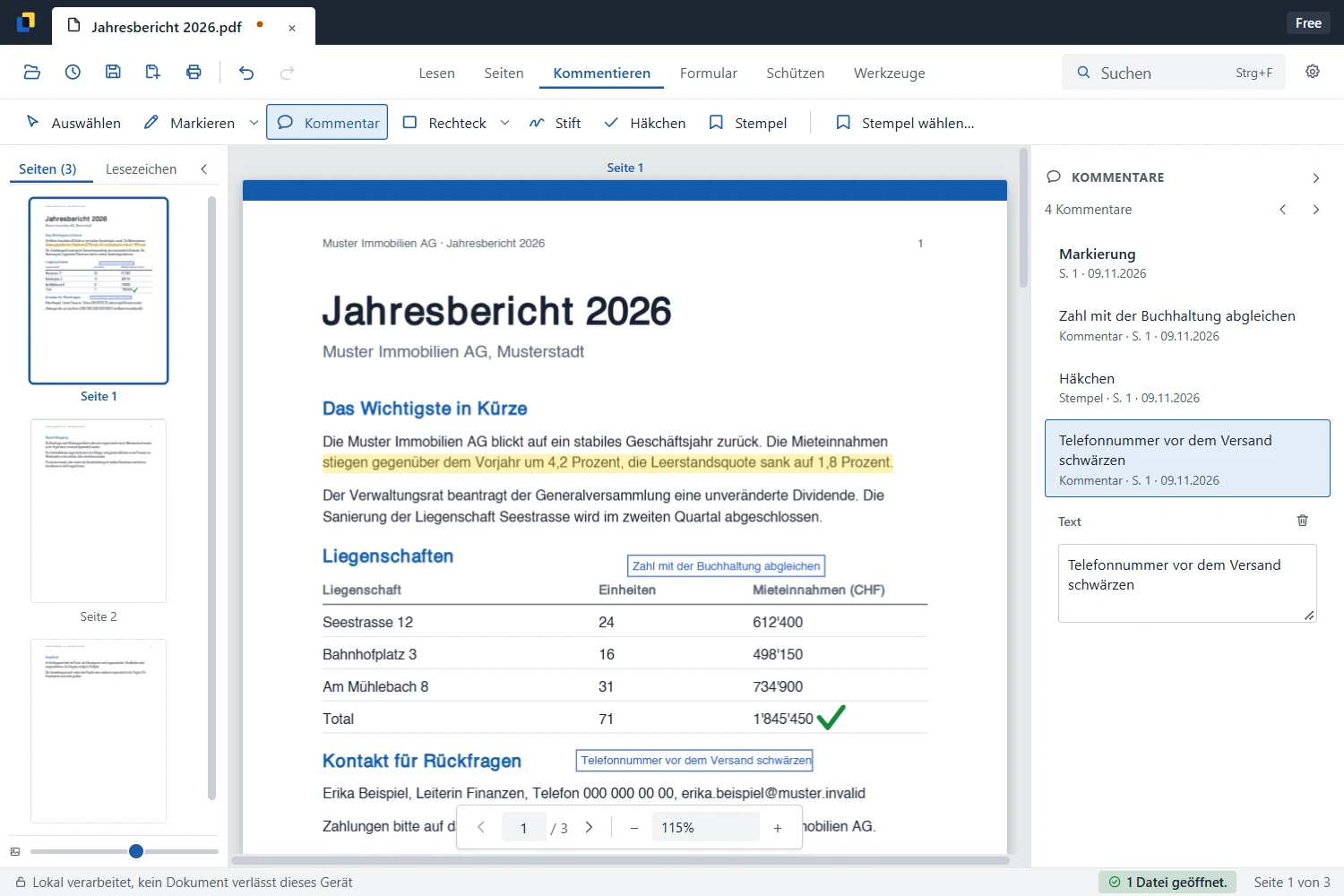
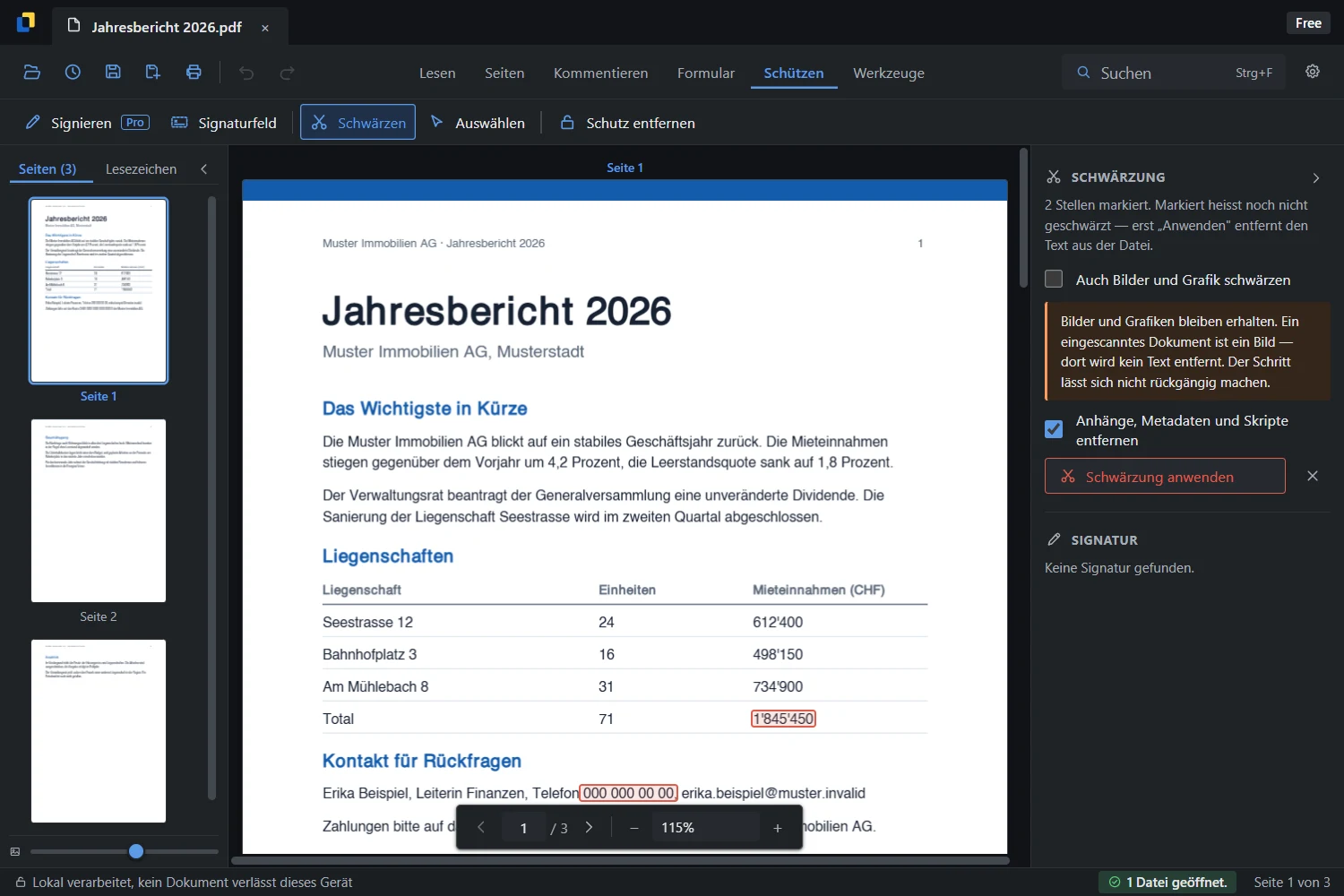
freePDF is our PDF program for Windows 10 and 11. You can use it to read, comment, redact, fill in forms, organise pages and sign, all in one app, with no upload and no account. The basic functions are free.
- No upload · no account
- Redaction that really removes
- Free · Pro CHF 49/year
NoneUpload
Not neededAccount
CHF 0Entry price
CHF 49 / yearPro
Why we built it
Because PDF work too often ends up in the browser today.
Anyone who quickly wants to merge two files or black out a phone number ends up at an online service and uploads contracts, salary statements or quotes to someone else's server. The alternative is usually a subscription to a large program, most of which you never need.
We wanted a PDF program that we can recommend to our clients with a clear conscience: local, fast, no account. One that says clearly what it can do, and also what it cannot.
- The work happens on your own computer, including text recognition.
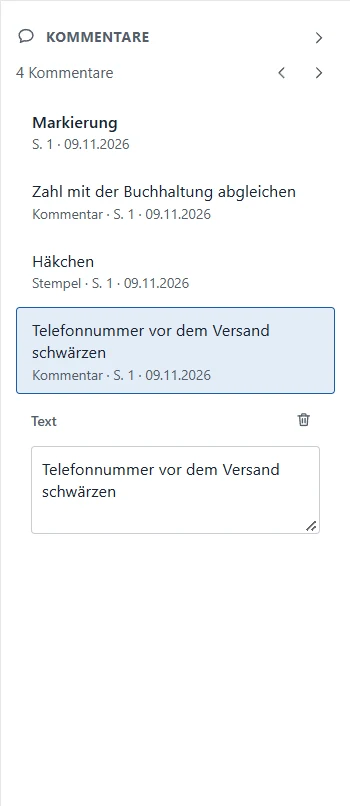
- Comments are real PDF annotations that Acrobat also displays.
- When redacting, the text is removed from the file, and the result is checked.
- The installer is signed and comes from Switzerland.
Features
What freePDF can do today
The basic functions are free. Pro adds signing, text recognition and batch processing.
Read & search
Several documents in tabs and a search across all pages, in a light and a dark theme.
Comment
Highlights, notes, shapes, pen and stamps, saved as real PDF annotations.
Redact
The text disappears from the file, not merely under a black bar. The finished file is checked.
Pages & forms
Insert, rotate, sort, merge and split pages. Fill in forms and reuse the data.
Sign & verify
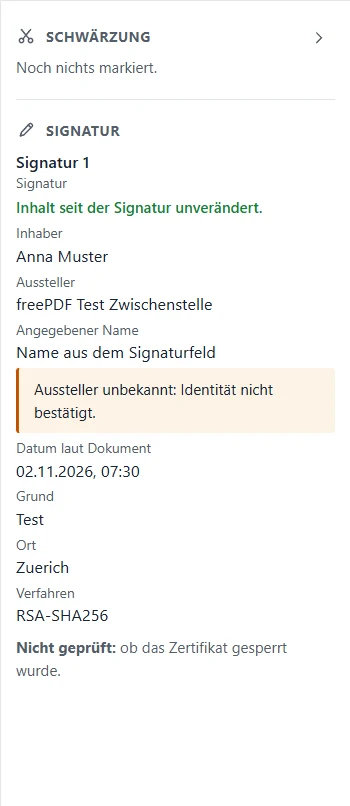
Sign with your own certificate and recalculate existing signatures.
Text recognition & batch
Make scans searchable and process many files in one go, also locally.
The product in pictures
Honest right down to the sidebar
What we have learned
Which lessons from freePDF flow into client projects
 WinDesk
 Freeshot
 FreeSize
 easySMS
FAQ
Good to know before you call.
Is freePDF really free?
Yes. Reading, commenting, redacting, editing pages and filling in forms are free, with no account and no expiry. Pro costs CHF 49 a year and adds signing, text recognition and batch processing, among other things. For companies there is volume pricing.
Are my documents uploaded anywhere?
No. freePDF processes everything on your computer and does not need an internet connection to work.
Which systems is freePDF available for?
For Windows 10 (version 1809 or later) and Windows 11, 64-bit in each case.
Can you build something like this for us too?
Yes. Whether a desktop tool, a web app or integration into existing processes: tell us what you need.
freePDF
Get freePDF for free and edit PDFs without uploading them.
Available directly at freepdf.ch – for Windows 10 and 11. If you need a desktop tool of your own, get in touch.
076 574 80 90